Skipping ChallNinja1.0.10
Publisher Description
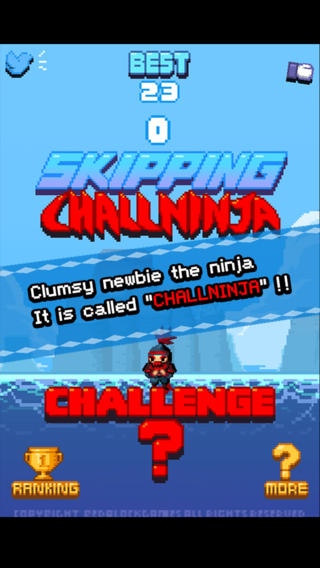
- Retro style game.(Dot,Pixel)
- Simple control, hard difficulty.
- If you reach a certain number of points then ninja's clothes changes beautifully
(change to gold ninja!)
5point : Muffler
10point : Spaulder
15point : Big ponytail
20point : Mask
30point : Helmet
40point : Red Clothes
50point : Gold Muffler
60point : Gold Spaulder
70point : Gold Ponytail
80point : Gold Mask
90point : Gold Helmet
100point: Gold Clothes
*************** Introduction ***************
Clumsy newbie the ninja challenges a difficult task again today.
It is called "ChallNinja".
If you want a game which is simple,difficult, and addictive ...
If you want to have the fighting spirit to win...
Download right now! All Free.
RANKING : Game Center
MORE : More games
FACEBOOK : Move to Facebook. Like plz~ :)
TWITTER : Move to Twitter. Follow plz~!
************ How to play ************
- When the ninja steps on the floor,touch the screen.
- If the ninja does it successfully , you will get a point.
- If the ninja does it perfectly , you will get 2 points
- If you touch or be late before the ninja steps on the floor then the game is over!
Requires iOS 4.3 or later. Compatible with iPhone, iPad, and iPod touch.
About Skipping ChallNinja
The company that develops Skipping ChallNinja is DAE HWAN KIM. The latest version released by its developer is 1.0.10.
To install Skipping ChallNinja on your iOS device, just click the green Continue To App button above to start the installation process. The app is listed on our website since 2014-03-14 and was downloaded 3 times. We have already checked if the download link is safe, however for your own protection we recommend that you scan the downloaded app with your antivirus. Your antivirus may detect the Skipping ChallNinja as malware if the download link is broken.
How to install Skipping ChallNinja on your iOS device:
- Click on the Continue To App button on our website. This will redirect you to the App Store.
- Once the Skipping ChallNinja is shown in the iTunes listing of your iOS device, you can start its download and installation. Tap on the GET button to the right of the app to start downloading it.
- If you are not logged-in the iOS appstore app, you'll be prompted for your your Apple ID and/or password.
- After Skipping ChallNinja is downloaded, you'll see an INSTALL button to the right. Tap on it to start the actual installation of the iOS app.
- Once installation is finished you can tap on the OPEN button to start it. Its icon will also be added to your device home screen.
